


How to Clean Boat Battery Terminals
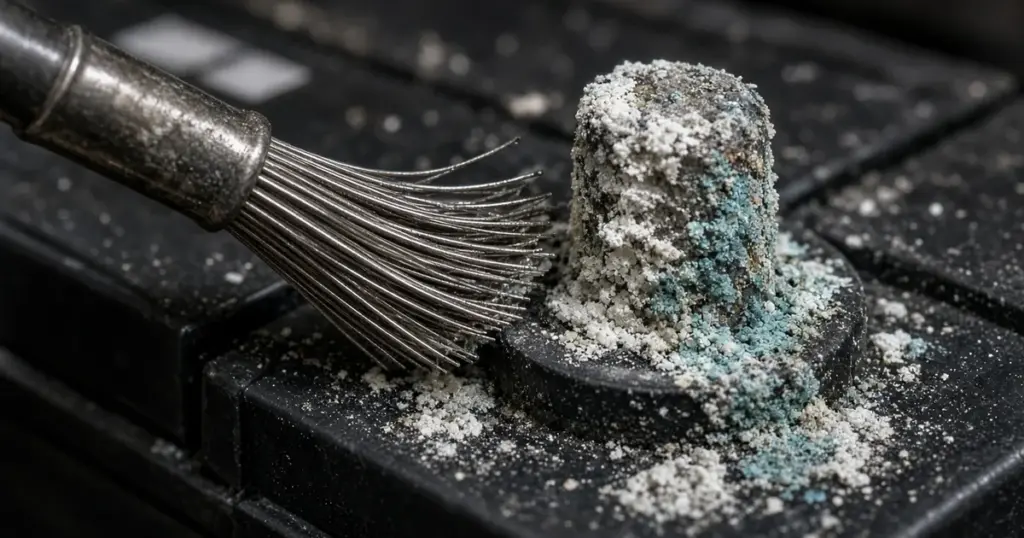
White, green or blue crust on a battery terminal is more than ugly. Corrosion adds resistance to every connection it touches, which means hard starts, slow charging, dim lights and terminals that heat up under load. On a boat, where salt air and humidity speed up corrosion, regular terminal cleaning is one of the most valuable maintenance tasks you can do. This guide explains how to clean boat battery terminals and keep them clean.
What causes terminal corrosion
- Hydrogen and acid vapor from flooded lead-acid batteries reacting with metal terminals, especially during charging
- Overcharging, which increases gassing
- Electrolyte leaks from cracked cases or around posts
- Salt air and spray, which leave conductive, corrosive residue
- Dissimilar metals, such as copper lugs on lead posts, which react in the presence of moisture
- Loose connections that heat up and oxidize
White or gray powder usually points to lead sulfate at the posts. Blue or green crust indicates copper corrosion on the cable lugs.
Safety
- Wear safety glasses and gloves. Corrosion contains acid.
- Remove jewelry.
- Ventilate the area.
- Keep sparks and flames away.
- Turn off the battery switch and all loads.
What you need
- Baking soda and water (about a tablespoon per cup of water)
- Old toothbrush or small brush
- Battery terminal brush (post and clamp brush)
- Wire brush
- Clean water for rinsing
- Rags or paper towels
- Terminal protectant spray or dielectric grease
- Wrenches for terminal nuts
Step-by-step cleaning
- Turn off the battery switch and disconnect any chargers.
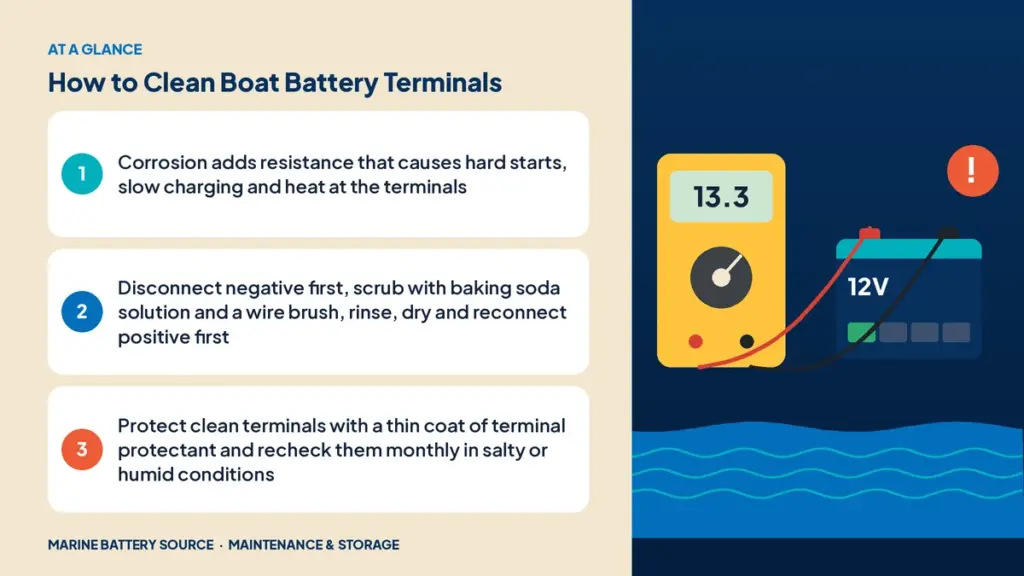
- Disconnect the negative cable first, then the positive. Label them if there are several.
- Inspect the terminals and cables. Look for cracks, melted plastic or badly corroded lugs.
- Apply baking soda solution to the terminals and cable ends. It will fizz as it neutralizes acid. Keep it out of flooded battery vent caps.
- Scrub with a toothbrush, then use the terminal brush on posts and inside the cable clamps or lugs until the metal is bright.
- Rinse with clean water, being careful not to let water into vent caps.
- Dry thoroughly with rags.
- Clean the battery top, since dirt and moisture on the case can create a small current path between terminals and drain the battery.
- Reconnect the positive first, then the negative. Torque to spec.
- Apply protectant to the terminals and lugs.
Protecting terminals after cleaning
- Terminal protectant spray: forms a protective coating that seals out moisture and air.
- Dielectric grease: a thin layer on the outside of the connection after tightening. Don’t put it between the terminal and lug contact surfaces.
- Felt washers: treated washers that slip over posts on some battery types.
- Terminal covers: keep spray and debris off, and protect the positive from accidental contact.
When to replace cables or lugs
Cleaning won’t fix everything. Replace cables or lugs if:
- Corrosion has crept under the insulation (the cable looks swollen or green under the jacket)
- Strands are broken or brittle
- Lugs are cracked, pitted or loose on the cable
- Insulation is cracked or melted
When replacing, use tinned copper cable and lugs. Tinned copper resists corrosion far better than bare copper.
Lithium battery terminals
Lithium batteries don’t vent acid, so they corrode less, but salt and humidity can still affect terminals and lugs. Clean them with a dry brush or a damp cloth, avoid soaking, and keep terminals dry. Follow the battery maker’s torque specs, which are often lower than lead-acid. Lithium batteries like the EPOCH 12V 105Ah LiFePO4 have sealed cases and threaded terminals that stay cleaner over time.
Cleaning trolling motor and multi-battery banks
On a 24V or 36V trolling bank, every series link has two connections, and each one can corrode. Clean them all, not just the main motor leads. Disconnect the motor and charger first, label each link, and clean one battery at a time so nothing gets reconnected in the wrong order. Check the charger leads at each battery, too; a corroded charger lug can keep one battery from charging fully, which unbalances the whole bank over time. When you’re done, measure voltage across each battery to confirm they’re all close.
How often to clean
- Saltwater boats: check monthly, clean as needed
- Freshwater boats: check monthly in season, clean every few months
- Before storage: always clean before the off-season
- After any spill or overcharge: clean immediately
Add it to your monthly battery checklist.
Preventing corrosion
- Keep flooded batteries properly watered without overfilling. See how to water flooded batteries.
- Use a smart charger to avoid overcharging.
- Keep terminals tight.
- Ventilate the battery compartment.
- Consider sealed AGM or lithium batteries for reduced corrosion. Our AGM vs flooded maintenance guide compares them.
Equalizing flooded batteries can increase gassing temporarily, so check terminals afterward. See equalizing flooded batteries.
Signs corrosion is causing problems
- Slow cranking even with a charged battery
- Battery doesn’t fully charge
- Terminals warm after cranking or charging
- Flickering electronics
- Voltage at the load lower than at the battery
A voltage-drop test across each connection finds the problem quickly: with current flowing, measure from the cable to the battery post. More than about 0.1V suggests a bad connection.
Cleaning in the off-season
Before winter storage, clean terminals, apply protectant and disconnect the battery. See winter storage for marine batteries and our full marine battery maintenance guide.
Upgrade options
If corrosion is a constant battle, upgrading to sealed batteries helps. AGM batteries like the Interstate 31M AGM don’t vent under normal use, and lithium batteries don’t vent at all. Browse our AGM batteries and lithium batteries.
Frequently asked questions
What’s the best way to clean battery terminals?
Disconnect the battery, scrub with a baking soda solution and a wire brush, rinse, dry, reconnect and apply terminal protectant.
Can I use Coca-Cola to clean battery terminals?
It can dissolve some corrosion, but it leaves sticky residue. Baking soda and water is more effective and neutralizes acid.
Why do my battery terminals keep corroding?
Common causes include overcharging, electrolyte leaks, loose connections, salt air and poor ventilation.
Should I put grease on battery terminals?
A thin layer of dielectric grease or terminal protectant on the outside of a tightened connection helps prevent corrosion.
Do lithium battery terminals corrode?
Less than lead-acid, but salt and moisture can still affect them. Keep them clean, dry and tight.