


Battery Monitors and Shunts: Know Your Real State of Charge
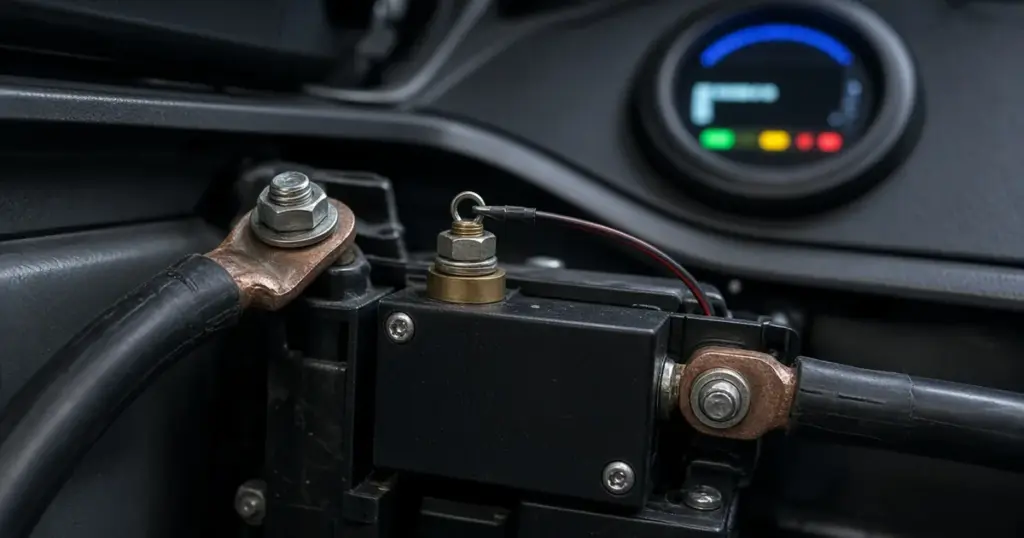
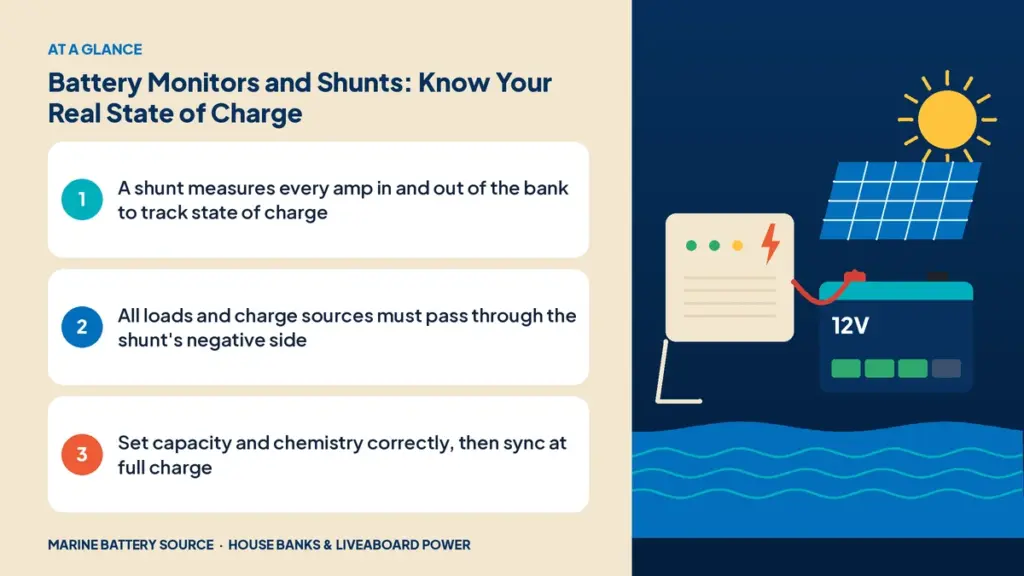
Voltage alone is a poor guide to how much energy is left in a battery, especially with lithium. A battery monitor with a shunt measures the current flowing in and out of the bank and keeps a running total, giving you a reliable state-of-charge reading. If you depend on a house bank for overnight trips or living aboard, it’s one of the most useful instruments you can install. This guide explains how battery monitors and shunts work, how to install one and how to read it.
Why voltage isn’t enough
Battery voltage changes with state of charge, but also with load, charging, temperature and time since the last charge or discharge. A lead-acid battery under load reads lower than at rest; while charging it reads higher. Lithium is even harder: LiFePO4 voltage stays nearly flat across most of its capacity, so a small voltage change can mean a large change in state of charge. Voltage is useful at the extremes, but not for knowing whether you have 40% or 70% left.
How a shunt works
A shunt is a precision, very low-resistance conductor installed in the main negative cable of the battery bank. All current passing through it creates a tiny voltage across it, proportional to the current. The monitor measures that voltage, calculates the current, and integrates it over time.
- Current out of the bank counts as discharge.
- Current into the bank counts as charge.
- The running total, compared with the bank’s capacity, gives state of charge.
This method is often called coulomb counting.
What a monitor shows
Typical readings include:
- State of charge as a percentage.
- Current in amps, positive when charging and negative when discharging.
- Voltage.
- Amp-hours consumed since the last full charge.
- Time remaining at the present load.
- Historical data such as deepest discharge and number of cycles.
Installing a shunt
- Turn off all loads and chargers and disconnect the battery negative.
- Mount the shunt close to the battery bank on a non-conductive surface.
- Connect the battery side of the shunt to the bank’s negative terminal.
- Connect the system side to the boat’s main negative bus. Every load and every charging source must connect to the negative on the system side, never directly to the battery negative. Anything wired directly to the battery bypasses the shunt and won’t be counted.
- Connect the monitor’s sense and power wires as the maker directs, with the small fuse they specify on the positive sense lead.
- Reconnect and configure the monitor.
A common mistake is leaving one charger or load connected directly to the battery negative. If the readings drift or never match reality, check for anything bypassing the shunt.
Configuring the monitor
- Battery capacity: set the bank’s rated amp-hours.
- Chemistry: choose lead-acid or lithium so the monitor uses the right charge-efficiency assumptions and full-charge criteria.
- Charged voltage and tail current: these tell the monitor when the bank is full so it can resynchronize to 100%.
- Peukert exponent for lead-acid, if the monitor supports it, to account for reduced capacity at high discharge rates.
Syncing at full charge
Small measurement errors accumulate over time. Monitors correct this by resetting to 100% when they detect a full charge. Make sure the bank reaches full charge periodically, especially with lead-acid, which benefits from a full charge anyway. If you rarely reach full, the reading will drift.
Lithium batteries with built-in monitoring
Many lithium batteries include Bluetooth monitoring through their BMS. Examples include the EPOCH 12V 300Ah Essential, ECO Battery 12V 120Ah and Battle Born models available with Bluetooth. EPOCH also offers a Pro Series communications box for battery data.
Built-in monitoring shows each battery’s state of charge and health. A system shunt measures the whole bank, including all loads and charging sources, in one reading. Many owners use both.
Using monitor data
- Check your energy audit. Compare real amp-hours consumed with your estimates; see power planning at anchor for how this helps on trips.
- Find parasitic loads. Turn everything off and see whether the monitor still shows current.
- Measure individual loads. Switch one device on at a time and read the current.
- Track charging. See how much your solar, alternator or charger actually puts in.
Lead-acid: staying above half
For lead-acid banks, a monitor helps you avoid deep discharges that shorten life. Many owners treat about 50% as the floor. For 6V golf-cart banks, see 6V batteries for house banks.
Monitors on 12V and 24V systems
Most monitors work across common system voltages. Configure them for your bank voltage; see 12V vs 24V house banks.
Shunt sizing
Shunts are rated for a maximum current, commonly 500A or more. Choose one rated above the bank’s highest expected current, including inverter and windlass loads. High-current loads like windlasses must also pass through the shunt to be counted; see powering an anchor windlass.
Troubleshooting readings
| Symptom | Likely cause |
|---|---|
| State of charge drifts over days | Bank not reaching full charge to resync, or wrong settings |
| Readings ignore a known load | Load connected to battery negative, bypassing the shunt |
| Charging shows less than expected | Charger negative bypassing the shunt, or charger underperforming |
| Time remaining jumps around | Normal with changing loads; average over time |
Choosing a monitor
Look for a display or app you’ll actually check, lithium and lead-acid settings, a shunt rated for your maximum current, and data logging if you want history. Some monitors integrate with chartplotters or networked systems.
For overnight planning, read house bank sizing for overnight boating, and for long-term use see sailboat and liveaboard battery systems. Charging strategies are in charging lithium batteries on a boat. Browse battery accessories in the store.
Frequently asked questions
What does a battery shunt do?
It measures all current flowing in and out of the battery bank so a monitor can track amp-hours and state of charge.
Where does a shunt go?
In the main negative cable between the battery bank and the boat’s negative bus. All loads and chargers must connect on the system side.
Do lithium batteries need a battery monitor?
Many lithium batteries have built-in Bluetooth monitoring. A system shunt adds a single, whole-bank view of all loads and charging.
Why is my battery monitor inaccurate?
Common causes include loads or chargers bypassing the shunt, wrong capacity or chemistry settings, or the bank not reaching full charge to resynchronize.